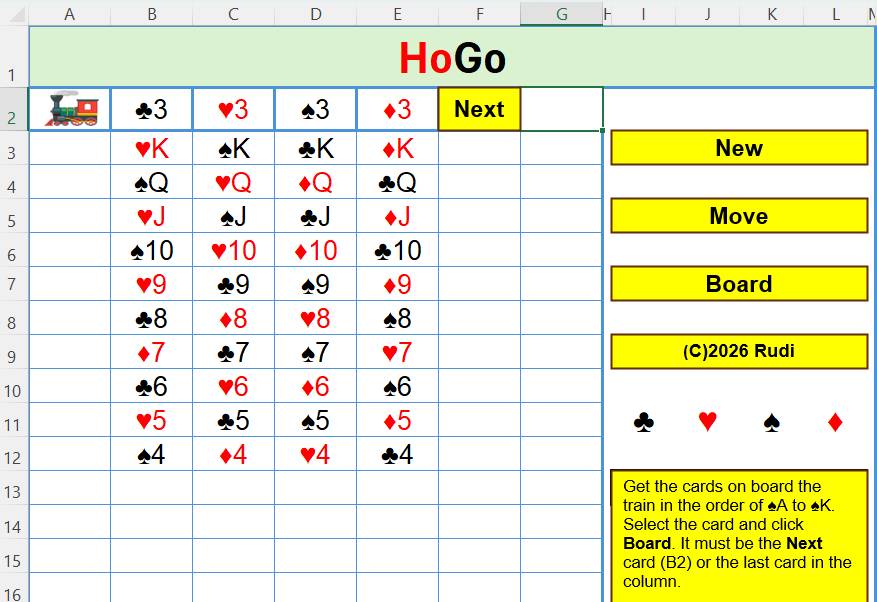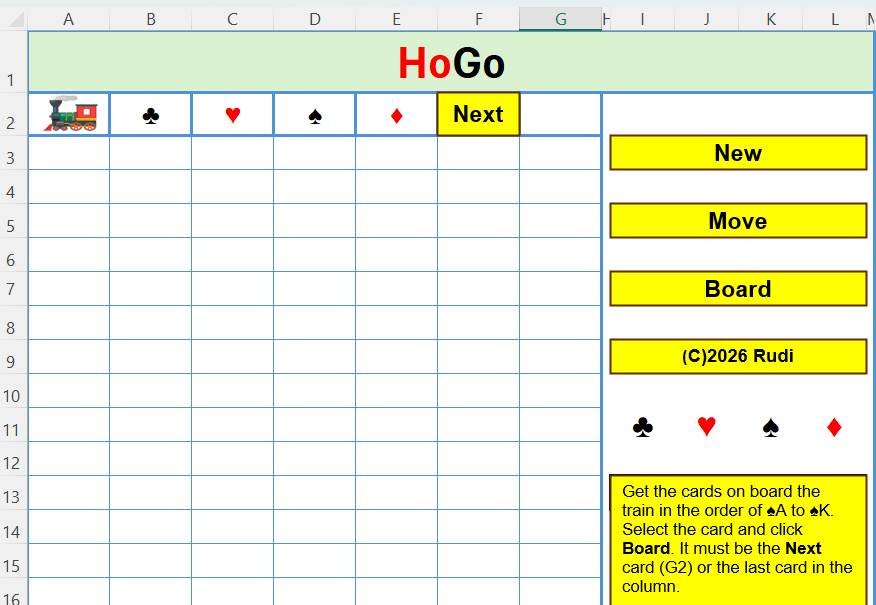
The first one to execute is the New button.
However, I'll start with the procedure to apply color to the cards as that will be applied to the new cards.
Option Explicit
'This is the Apply_Color module
Sub ApplyColor(strCell As String)
'Color the card as per the symbols in J11 or L11
If Left(Range(strCell), 1) = [J11] Or _
Left(Range(strCell), 1) = [L11] Then
Range(strCell).Font.Color = vbRed
Else
Range(strCell).Font.Color = vbBlack
End If
End Sub
Before the NewGame procedure we require some global variables.
Option Explicit
'This is the New_Game module
Public varSuits() As Variant
Public varSuitsUnsorted() As Variant
Public intCard As Integer
Public intNextCard As Integer
Sub NewGame()
Dim intLoop As Integer
Dim varTemp As Variant
Dim intRnd As Integer
Dim intRow As Integer
Dim intCol As Integer
'Put the card symbols into the carriages
Range("B2:E2").Value = Range("I11:L11").Value
'Fill the array
varSuits = Array("A", "2", "3", "4", "5", "6", "7", "8", "9", "10", "J", "Q", "K", _
"A", "2", "3", "4", "5", "6", "7", "8", "9", "10", "J", "Q", "K", _
"A", "2", "3", "4", "5", "6", "7", "8", "9", "10", "J", "Q", "K", _
"A", "2", "3", "4", "5", "6", "7", "8", "9", "10", "J", "Q", "K")
'Add the card symbols
For intLoop = 0 To 12
varSuits(intLoop) = [B2] & varSuits(intLoop)
varSuits(intLoop + 13) = [C2] & varSuits(intLoop + 13)
varSuits(intLoop + 26) = [D2] & varSuits(intLoop + 26)
varSuits(intLoop + 39) = [E2] & varSuits(intLoop + 39)
Next intLoop
'Copy the array before it's shuffled
varSuitsUnsorted = varSuits
'Shuffle sort the array
Randomize
For intLoop = 0 To 51
intRnd = Int(51 * Rnd) + 1
varTemp = varSuits(intRnd)
varSuits(intRnd) = varSuits(intLoop)
varSuits(intLoop) = varTemp
Next intLoop
intCard = 0
intLoop = 0
'Clear the cards from the previous game. J6:K6 is merged
Range("A3:G30,J14:L16,J6:K6").ClearContents
'Show the cards
For intRow = 3 To 9
For intCol = intLoop To 6
Cells(intRow, intCol + 1) = varSuits(intCard)
'Color the card according to the suit
ApplyColor (Cells(intRow, intCol + 1).Address)
'Select the next card in the array
intCard = intCard + 1
Next intCol
'Increase the number of cards by one in the next column
intLoop = intLoop + 1
Next intRow
'Show the first card of the cards in the Next room
[G2] = varSuits(intCard)
'Color the first card
ApplyColor ("G2")
'Record the current card on show and also for the NextCard proc
intNextCard = intCard
'Show how many Next cards are still to be placed
[J2] = 24
'Select the Next card
[G2].Select
'intCard is the start of the remaining cards in the Next room
End Sub
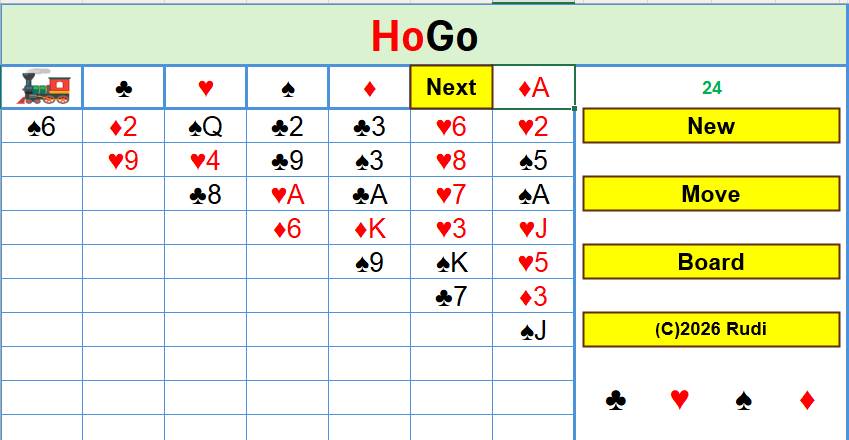
The students have lined up, almost like magic, where
one class had
only one student and the biggest class had seven students. What
we only see, of course, are the invisible cards on the backs of the students
hands.
Twenty eight students are on the platform and the other twenty
four are in the Next room. One student, with ♦A on
the hand, is at the door to see if they can join a queue or jump
straight on to the train.
'This is mod Next_Card
Sub NextCard()
'Advance the next card position
intNextCard = intNextCard + 1
'If it's past the last card then
select the first remaining card
If intNextCard > 51 Then intNextCard = intCard
'If there are no cards left
If intCard > 51 Then
MsgBox "All out!"
[G2] = ""
[J2] = ""
Exit Sub
End If
'Show the next card
[G2] = varSuits(intNextCard)
ApplyColor (Range("G2").Address)
'Show how many cards are left
[J2] = 51 - intCard + 1
'Clear the card cell
[J6] = ""
'Indicate
the card of the cards that are left
[I4] = intNextCard - intCard + 1
'Ready to move or board the
card Next
[G2].Select
End Sub
Next we'll board the train.
There are several items to
consider when boarding the train.
Firstly, whether it's from the Next room or from a queue.
Secondly, if the carriage is empty, only an ace can go there.
Thirdly, if not an ace, the card
has to be one less in the suit than the card already there.
For the third case, there is the unshuffled array to check the
position.
Option Explicit
Sub BoardTrain()
Dim strCard As String
Dim intCardPos As Integer
Dim intCardHomePos As Integer
Dim intRow As Integer
Dim intCol As Integer
Dim intHouseCol As Integer
Dim strCardNumber_Letter As String
If Selection = "" Then
MsgBox "Nothing selected"
Exit Sub
End If
'Record details of the selected
card
strCard = Selection
strCardNumber_Letter = Mid(strCard, 2, 2)
intRow = Selection.Row
intCol = Selection.Column
'Find the card
in the unsorted array
intCardPos = FindCardPosition(strCard)
If intCardPos = -1 Then
MsgBox "Can't find this card"
Exit Sub
End If
'Find the train carriage column
for the card in row 2
intHouseCol = InStr(1, Left([B2], 1) + Left([C2], 1) _
+ Left([D2], 1) + Left([E2], 1), Left(strCard, 1)) + 1
'Check it's not a card symbol
only in the carriage
If Len(Cells(2, intHouseCol)) <> 1 Then
'There is a card there so get
its number in the unsorted array
intCardHomePos = FindCardPosition(Cells(2, intHouseCol))
'Exit if it can't be found
If intCardHomePos = -1 Then
MsgBox "Can't find the carriage card"
Exit Sub
End If
'Check that that card is one
less than the next card
If intCardHomePos <> intCardPos - 1 Then
'Exit
since it's not one more
MsgBox "Can't do that"
Exit Sub
Else
'Copy the
card on to the carriage
Cells(2, intHouseCol) = strCard
'If
that card was in the Next room
If Selection.Address =
Range("G2").Address Then
'Copy the first Next card to the
vacated card now on the train
varSuits(intNextCard) = varSuits(intCard)
'Advance, and therefore reduce,
the Next cards by 1
intCard =
intCard + 1
'Show the next card
NextCard
Exit Sub
End If
'The
card was in the queue so just delete it
Selection = ""
[G2].Select
Exit Sub
End If
Else
If strCardNumber_Letter <> "A" Then
MsgBox "Can't do that"
Exit Sub
End If
End If
'There is only the card symbol
in the carriage, so only an ace fits
'If there is an Ace in the Next
box
If Selection.Address = Range("G2").Address Then
If strCardNumber_Letter = "A" Then
'Yes, place it into a carriage
Cells(2,
intHouseCol) = strCard
'Move the first card in the
Next group to the vacated position
varSuits(intNextCard) = varSuits(intCard)
'Advance, and therefore reduce,
cards in the Next group by 1
intCard =
intCard + 1
'Show the next card
NextCard
Exit Sub
End If
End If
'If it is an Ace in a queue
with no card below in the queue then board it
If strCardNumber_Letter = "A" And Cells(intRow + 1, intCol) =
"" Then
'Delete
it from the queue
Cells(2, intHouseCol) = strCard
Selection = ""
[G2].Select
Exit Sub
End If
'If it is the last card in the
queue and one less than the card on the carriage
If Cells(intRow + 1, intCol) = "" And intCardHomePos =
intCardPos - 1 Then
'Yes,
so move it on to the train
Cells(2, intHouseCol) = strCard
'Delete
it from the queue
Selection = ""
[G2].Select
Exit Sub
End If
MsgBox "That's not possible"
[G2].Select
End Sub
Here is the function to find the card position.
Function FindCardPosition(strCard
As String) As Integer
Dim intLoop As Integer
FindCardPosition = -1
On Error GoTo Problem
For intLoop = 0 To 51
If varSuitsUnsorted(intLoop) =
strCard Then
FindCardPosition = intLoop
End If
Next intLoop
Problem:
If FindCardPosition = -1 Then MsgBox "Card not found!"
End Function
So now we get to the Move
procedure.
This is quite complex as it must cater for several scenarios.
To check that a card is one less
than the card above we first need the FindDiffs procedure.
This finds the difference from a card to another card of
different color suits.
Option Explicit
Public intDiffOne As Integer
Public intDiffTwo As Integer
'This is the Find_Diffs module
Sub FindDiffs(intCard As Integer)
Select Case intCard
Case 0 To 12
'This is a Club
intDiffOne = 13
intDiffTwo = 39
Case 13 To 25
'This is a Heart
intDiffOne = 13
intDiffTwo = -13
Case 26 To 38
'This is a Spade
intDiffOne = 13
intDiffTwo = -13
Case 39 To 51
'This is a Diamond
intDiffOne = -13
intDiffTwo = -39
End Select
End Sub
To move a card, or stack, requires 4 clicks.
To be able to observe this, some cells record the locations of
the cards.
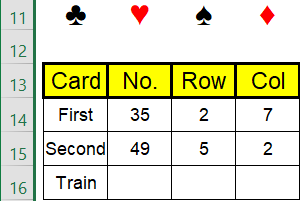
These cells are normally covered
up by the rectangle with the instructions.
The Move procedure is lengthy for all the variations possible.